Stop Doing Repetitive Tasks That an AI Assistant Could Handle.
Claude Cowork builds assistants that run on your computer, on a schedule, without you touching them. This training shows you exactly how to set it up. Three sessions. A complete playbook. And a working assistant by the time you finish watching.
Get Instant Access — $47You open ChatGPT or Claude. Ask it a question. Get an answer. Close the tab. That's useful, but it's not leverage. You're still the one doing the work. You're still the bottleneck.
Claude Cowork changes that equation. It builds assistants that live on your computer, connect to your browser, your email, your files. They run tasks on a schedule. You don't prompt them each time. You set them up once and they execute.
But installing it and actually building something useful are two different things. Most people download it and stare at the screen. This training walks you through the full setup, connects everything, and builds your first working assistant before you finish watching.

How to install and connect Cowork to your system
Mac or PC. Step by step. You will connect Chrome, Gmail, and your local folders so Cowork has access to the tools it needs to do real work.
How to build an assistant that runs on a schedule
Not a chatbot. An assistant that wakes up at midnight, scrubs a Facebook group for leads, writes a summary in your voice, and emails it to you by morning. You will build this live.
How to think about agentic AI so you can build more
Once you understand the input, output, action framework, you can build assistants for any repeating task in your business. The training gives you the mental model, not just the steps.
Three Video Sessions
Watch the complete Cowork build from installation to a running assistant. Three sessions covering setup, building, and advanced workflows.
Cowork Playbook
Setup steps, task instruction frameworks, and real examples. Open it next to Cowork and follow along. Everything from the training, documented and ready to reference.
Lifetime Access
Watch it once. Watch it five times. Come back in six months for a refresher. Your access does not expire.
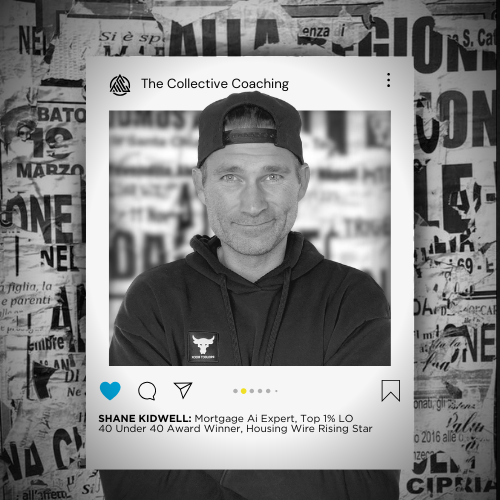
Top 1% Originator six times over, 40 Under 40 winner, and a former firefighter who still works like one. Shane builds AI systems that run inside real mortgage businesses. Not demos. Not theory.
He has twelve AI assistants running inside his business right now. Not as experiments. As staff. They scrub leads, clean inboxes, organize files, and draft content while he sleeps. When 30+ coaching clients started asking how he moved so fast, he recorded this training.
"Day one alone was worth the full investment. I finally found a way to sound authentic using AI."
"It completely changed how I see AI in business and gave me a clear way to use it."
"I was overwhelmed. This gave me structure and actually pushed me into action."
"I can already see how incredibly valuable this is going to be for my business, my productivity, and my organization."
"This blew every other AI training out of the water and showed me what's actually possible."
"I come from a software engineering background and still picked up things I hadn't even considered."
- Three video training sessions
- Cowork Playbook with setup steps and frameworks
- Lifetime access
- Instant delivery
Cowork Prompt Architect
The framework Shane uses to write task instructions for his assistants so they run right the first time. Instead of guessing what to type into Cowork, you open this guide and follow the structure. Your assistants do what you actually need them to do.
- Task instruction framework
- Real examples from Shane's 12 assistants
- Input/output/action templates
- Scheduling and trigger patterns
- Troubleshooting guide for common failures